Taking a touchpoint
1. Ensure that the site you wish to work in is displayed at the top right. This should be your default site though if you are involved with multiple sites; please check this before moving on.

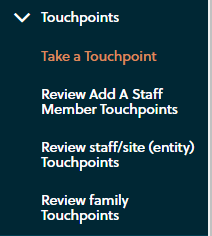
2. Expand the ‘Touchpoints’ group on the left hand side and click on ‘take a touchpoint’
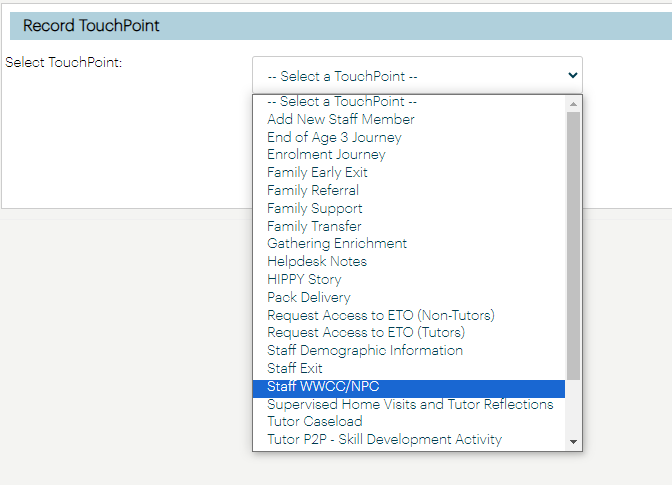
3. Select the type of touchpoint you wish you record information against
4. Fill out the relevant information required as well as any documents you wish to upload. Ensure you are providing any relevant information that HIPPY Australia may need to be aware of.
Do not provide a personal email address for the person you’re adding a touchpoint for; this must be a work issued address.
5. Click Save or Save as Draft if you need to return and update information at a later time.
Was this article helpful?
That’s Great!
Thank you for your feedback
Sorry! We couldn't be helpful
Thank you for your feedback
Feedback sent
We appreciate your effort and will try to fix the article