WHO
Anyone can complete the HIPPY Story Form but it is to be entered onto ETO by the Coordinator. It is entered against the Site rather than a Family or Tutor, so anonymity can remain.
WHEN
Whenever a family or staff member have a HIPPY story they want to share.
WHY
We are also collecting stories because data alone is not enough. We tend to focus on the outliers (both positive and negative), however everything in the middle also matters. These stories help us to be more realistic about our impact. These stories are like the human interaction that goes over the skeletal framework of your data. They provide the human factor and reality about all the efforts and outcomes and impacts HIPPY has in a way that numbers and data alone cannot.
This information can help provide:
- Evidence for Quality Assurance visits
- Advocacy when HIPPY Australia write reports to the government and/or other Advocacy pieces. (with permission)
- A good source of inspiration when you are having a bad day.
- Other promotional resources (with permission)
HOW
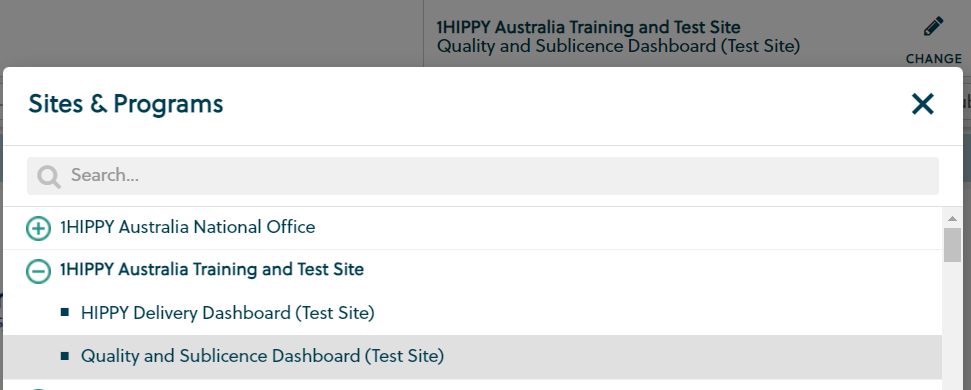
1. Quality and Sublicence Dashboard/Site Operations
Change the site to be the Quality and Sublicence Dashboard.
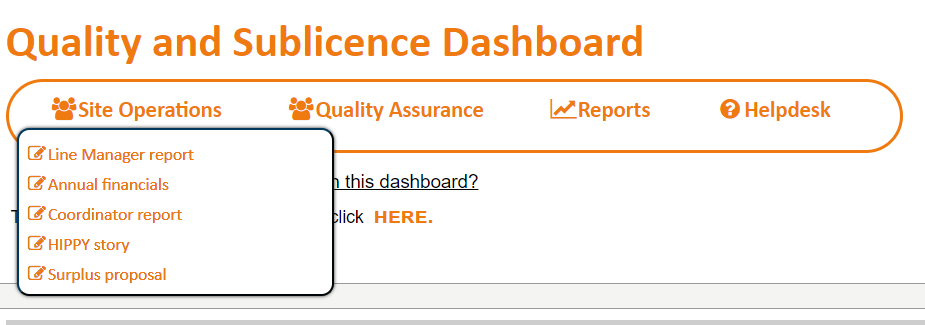
Hover over the button labelled Site Operations and select HIPPY Story option.
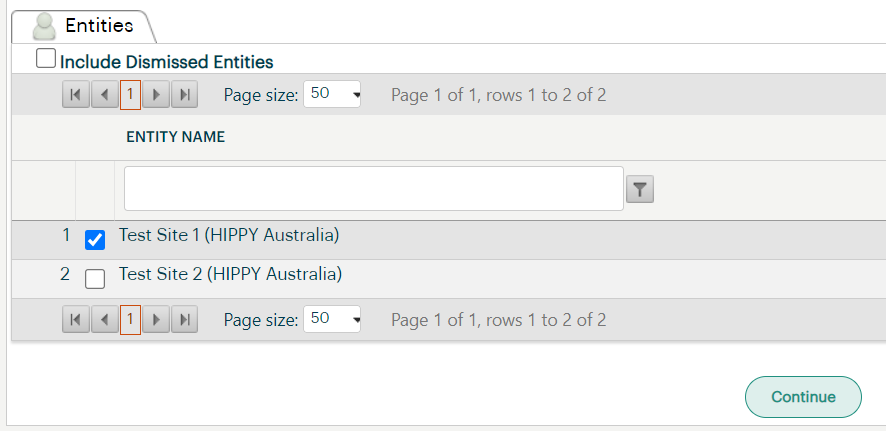
2. Select Entity
A list of Entities will appear. Select HIPPY Service Delivery (your Site name) and click the continue button that shows at the top or bottom of the list of Entities.
4. Type in or use calendar tool to enter the date that the Touchpoint was taken.
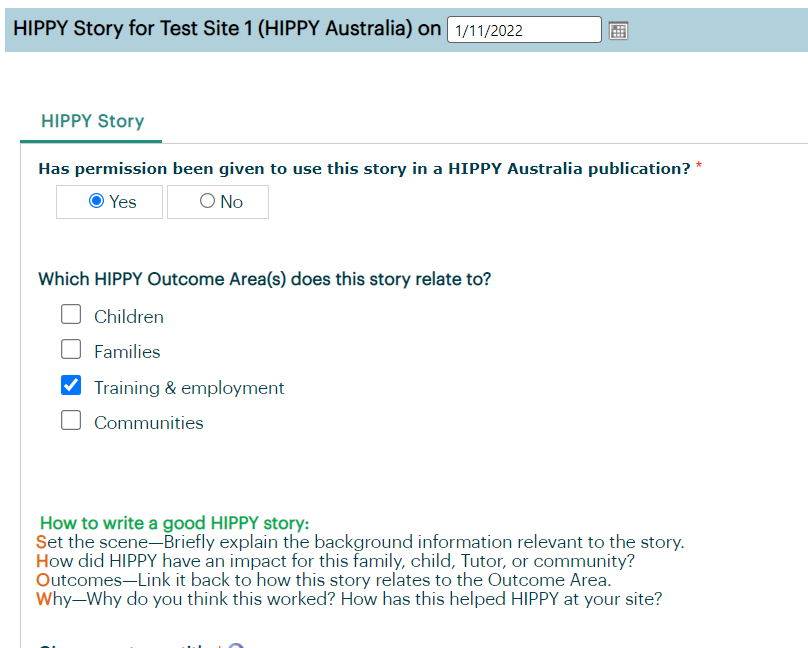
5. Click on the appropriate radio button to indicate if this story has permission to be used in a HIPPY Australia publication.
Note: Before it is used the Communications team will make contact with you to confirm this, and to make sure any names are changed as appropriate.
6. Use the check-boxes to categorise which outcome area(s) this story is about. Select as many as required.
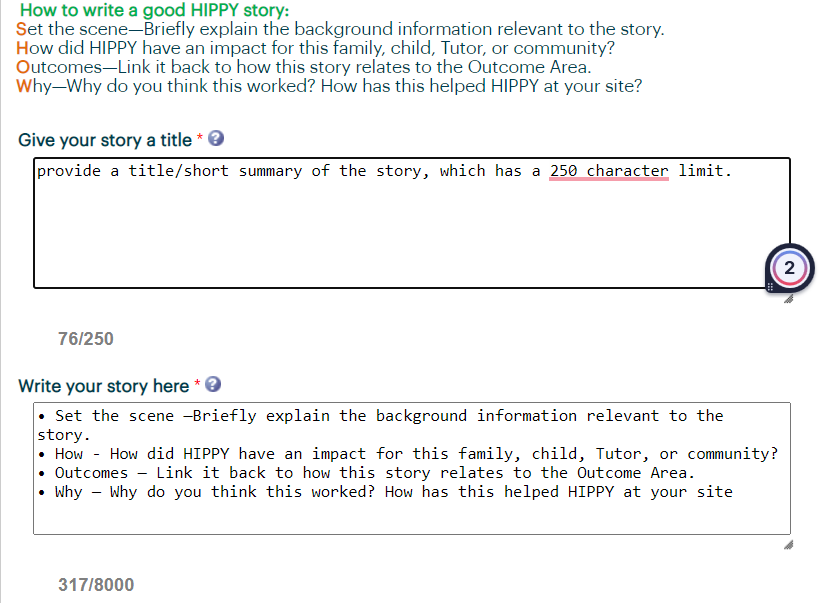
7. There is a free text box to provide a title/short summary of the story, which has a 250 character limit.
Then use next the free text box provided to write your outcome related HIPPY story. There is an 8000 character limit.
Avoid identifying people by using their names.
• Set the scene —Briefly explain the background information relevant to the story.
• How - How did HIPPY have an impact for this family, child, Tutor, or community?
• Outcomes — Link it back to how this story relates to the Outcome Area.
• Why — Why do you think this worked? How has this helped HIPPY at your site?
8. Save Touchpoint and Success
Once you have completed the HIPPY Story Touchpoint click on save. A pop up box will appear confirming that the Touchpoint has successfully saved. Click OK to continue using ETO.
Was this article helpful?
That’s Great!
Thank you for your feedback
Sorry! We couldn't be helpful
Thank you for your feedback
Feedback sent
We appreciate your effort and will try to fix the article