ETO features two dashboards, each serving different functions and displaying specific data.
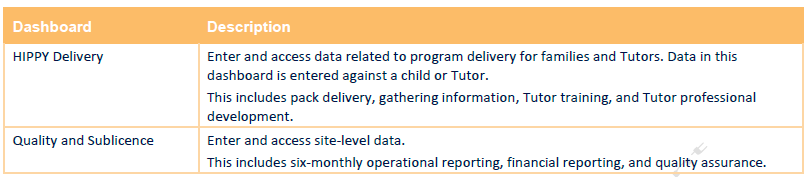
Coordinators are directed to the HIPPY Delivery Dashboard. This is their main workspace in the ETO.
Line Managers are directed to the Quality and Sublicence Dashboard, used for site-level reporting.
Line Managers with access to multiple sites must select a specific site after logging in; they will then be routed to that site’s Quality and Sublicence Dashboard.
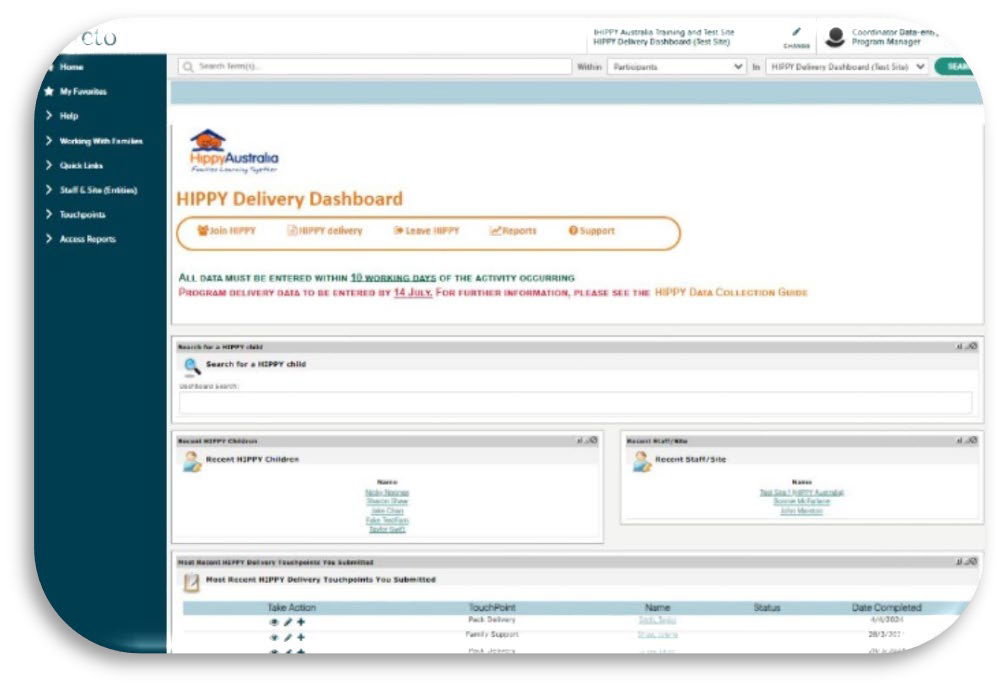
HIPPY Delivery Dashboard
The HIPPY Delivery Dashboard allows Coordinators to submit data, access reports, and support resources.
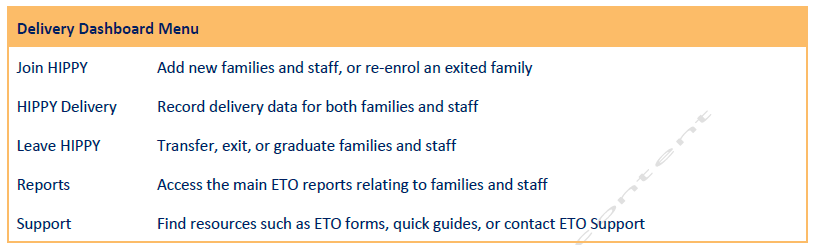
The dashboard menu is aligned with the HIPPY program cycle, featuring two additional menu options: Reports and Support.
The Quality and Sublicence dashboard
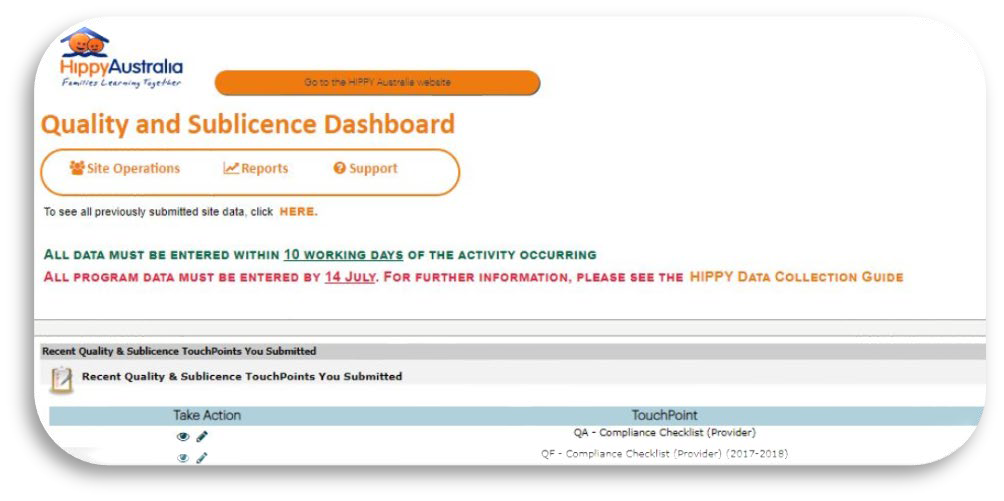
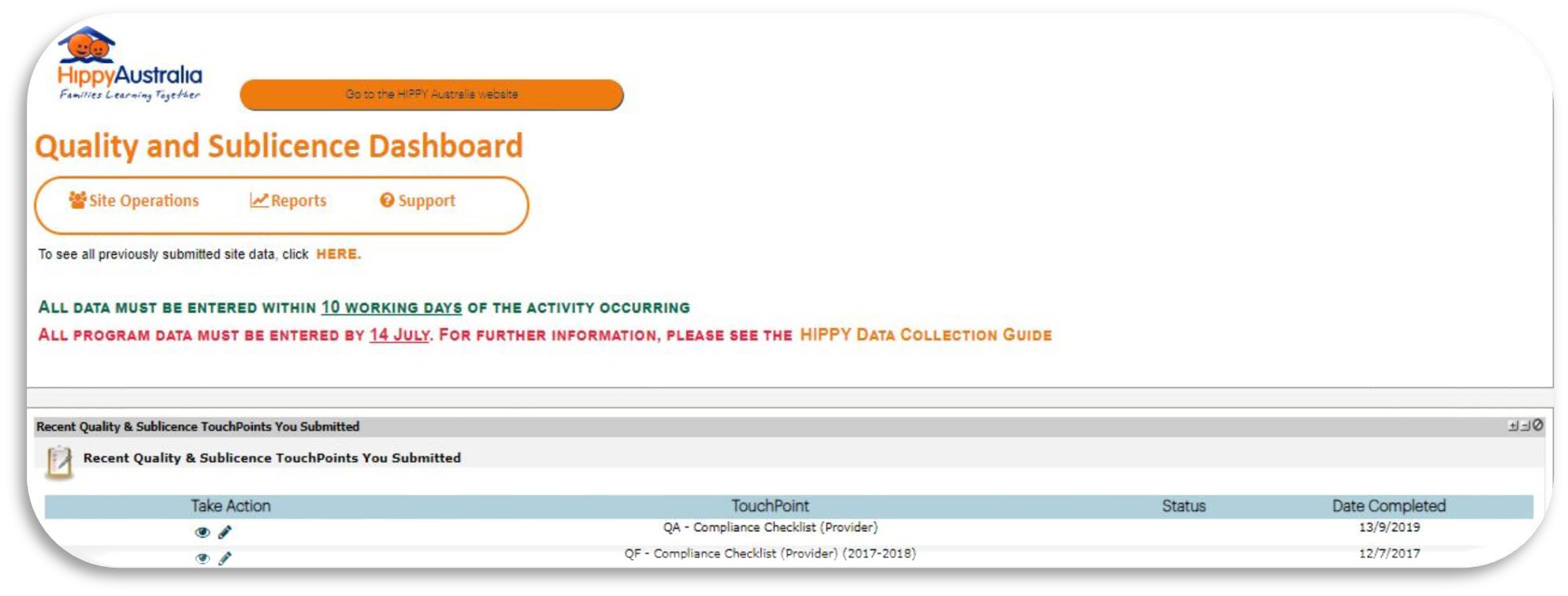
All site operations and quality assurance data are submitted using the Quality and Sublicence Dashboard, which offers fewer functions than the Delivery Dashboard
Quality and Sublicence Dashboard Menu (pictured below):
Site Operations - To record the Coordinator, Line Manager, and complete financial reports.
Reports - To access the main ETO reports for site operations and quality assurance.
Support - Find support resources, including ETO forms and quick guides.
For further details on navigating ETO, please refer to the ETO User Guide
Was this article helpful?
That’s Great!
Thank you for your feedback
Sorry! We couldn't be helpful
Thank you for your feedback
Feedback sent
We appreciate your effort and will try to fix the article